Mobile Augmented Reality Apps Changing Everyday Experiences
Posted On August 19, 2026
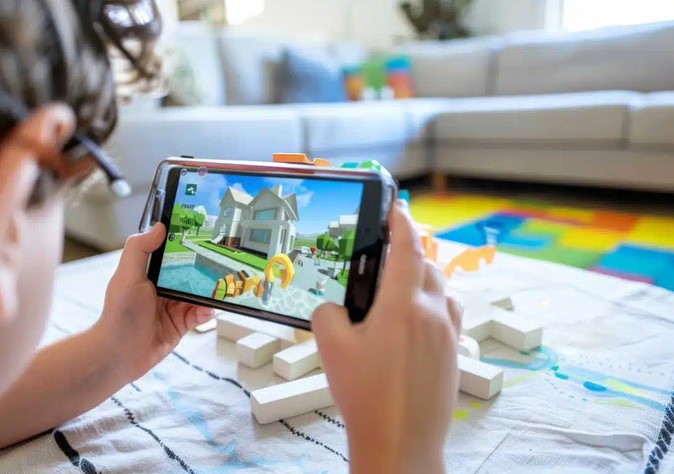
Imagine standing in the middle of a bare, empty living room holding a flat-packed box of furniture. You struggle to visualize whether that 3-seater velvet sofa will fit through the doorway—let alone match your wall color—or if it will leave you with zero room to walk. Now imagine raising your smartphone screen, tapping a button, and seeing a pixel-perfect, true-to-scale 3D sofa sitting right on your hardwood floor, casting realistic shadows as you walk around it in real time.
Over my ten-year journey in healthtech and mobile software architecture, I have witnessed countless digital trends come and go. Yet, few technical shifts have been as quietly transformative as the evolution of mobile augmented reality apps. What began a decade ago as basic camera overlays and gimmicky facial filters has matured into a foundational layer of modern computing, quietly reshaping retail, healthcare, navigation, and remote learning.
What Are Mobile Augmented Reality Apps? (Think of Magic Tinted Glasses)
To bypass complex spatial computing jargon, think of modern AR as wearing a pair of smart digital glasses over your smartphone camera lens:
-
The Camera (The Eye): Captures the physical world around you in real time.
-
Computer Vision & SLAM (The Spatial Brain): Scans flat surfaces, measures depth, tracks light sources, and maps out walls, floors, and objects.
-
3D Rendering Engine (The Digital Painter): Paints interactive, computer-generated graphics onto your screen so seamlessly that they appear anchored to the real physical environment.
Unlike Virtual Reality (VR), which locks you in a completely artificial digital cocoon, mobile augmented reality apps enhance and annotate the real world around you, turning everyday spaces into interactive canvases.
The Core Technical Pillars Powering Modern AR
Underneath the slick interface of popular mobile applications sits a complex array of hardware sensor pipelines and real-time computer vision frameworks working in unison.
+-----------------------------------------------------------------------+
|                    PHYSICAL WORLD INTERACTION                         |
|             (Ambient Lighting, Surfaces, Physical Objects)            |
+-----------------------------------+-----------------------------------+
                                    |
          +-------------------------+-------------------------+
          |                                                   |
          v                                                   v
+-------------------+                               +-------------------+
| SLAM Tracking &   |                               |  LiDAR / Depth    |
| Feature Points    |                               |  Sensors (ToF)    |
+-------------------+                               +-------------------+
          |                                                   |
          +-------------------------+-------------------------+
                                    |
                                    v
+-----------------------------------------------------------------------+
|                    REAL-TIME 3D RENDERING ENGINE                      |
|           (Occlusion, Photorealistic Shadows & Spatial Anchors)        |
+-----------------------------------------------------------------------+
1. Simultaneous Localization and Mapping (SLAM)
SLAM is the mathematical framework that allows your phone to figure out where it is in space while simultaneously mapping an unfamiliar room. It uses optical sensors to identify static feature points—like the corner of a table or the pattern on a rug—and keeps digital objects pinned to those precise coordinates even as you tilt or shake your device.
2. Time-of-Flight (ToF) and LiDAR Depth Sensing
Modern smartphones embed specialized LiDAR (Light Detection and Ranging) sensors that pulse invisible laser light to measure distances in nanoseconds. This enables instant surface detection, precise scale calibration, and realistic “occlusion”—meaning if a real dog walks in front of a virtual chair, the dog correctly blocks your view of the chair.
3. Edge Computing and On-Device Neural Networks
Rendering realistic lighting, reflections, and physics at 60 frames per second on a mobile chip requires massive computational efficiency. On-device Machine Learning (ML) models process light estimation in real time, matching the virtual object’s shadows and brightness to the natural sunlight streaming through your actual window.
How AR Apps Are Reshaping Everyday Domains
The real power of spatial technology lies in solving practical daily pain points across major industries.
| Sector | Traditional Pain Point | How AR Solutions Transform It | Measurable Benefit |
| Retail & E-Commerce | High return rates due to wrong sizes or fit | Instant “Try-Before-You-Buy” virtual product placement | 40% reduction in product return rates |
| Digital Health & Medicine | Complex 2D anatomical diagrams in patient care | Interactive 3D organ visualizations superimposed during consultations | Higher patient comprehension and engagement |
| Indoor Navigation | Getting lost in multi-story airports or hospitals | Live 3D directional arrows floating directly over real pathways | Faster navigation with zero reliance on static maps |
| Field Maintenance | Technical errors when repairing complex machinery | Overlaid digital step-by-step schematics and remote expert help | 30% to 50% faster repair completion times |
Expert Advice: Pro Tips and Hidden Pitfalls from the Field
Having led development sprints for interactive mobile tools, I have seen where early implementations succeed and where they fail spectacularly:
Pro Tip: Prioritize Quick Spatial Initialization Over Heavy GraphicsUsers lose patience if forced to wave their phone around for 15 seconds to scan a floor. Build your mobile experience to initialize spatial tracking rapidly using fallback surface-detection anchors, then progressively load high-definition 3D textures.
Hidden Pitfall: The Battery and Thermal Throttling TrapContinuous camera usage, high-frame-rate rendering, and real-time ML processing consume immense battery power and generate heat quickly. If you do not optimize your rendering loops, your app will trigger processor thermal throttling, dropping frame rates and causing severe tracking drift.
The Implementation Checklist for Building Effective AR Experiences
If you are a developer, product strategist, or business leader planning to launch mobile augmented reality apps, follow this structured roadmap to ensure success:
Phase 1: Define Practical Use-Case (Solve a real spatial friction point)
   │
   ▼
Phase 2: Select Framework (ARKit for iOS, ARCore for Android, WebXR)
   │
   ▼
Phase 3: Optimize 3D Assets (Low polygon counts, compressed textures)
   │
   ▼
Phase 4: Conduct Rigorous Lighting & Performance Testing Across Devices
-
Target Concrete Friction: Do not build AR features just for novelty. Ensure spatial visualization solves a clear problem, such as measuring dimensions, training staff, or visualizing complex medical conditions.
-
Choose Native SDKs Wisely: Leverage native tools like Apple’s ARKit or Google’s ARCore for maximum access to low-level hardware features like LiDAR and scene geometry.
-
Keep 3D Models Lightweight: Keep polygon counts low and compress PBR (Physically Based Rendering) textures. Mobile GPUs must prioritize high frame rates over cinema-quality polycounts to avoid motion sickness.
-
Design for Variable Lighting Environments: Always test your user experience in dark rooms, harsh sunlight, and reflective surfaces to ensure tracking stability across real-world environments.
The Road Ahead for Mobile Spatial Computing
We are standing at a fascinating inflection point in human-computer interaction. Mobile devices are serving as the bridge between flat 2D glass displays and the hands-free spatial computing interfaces of the future. By blending advanced spatial algorithms, depth sensing, and human-centric design, mobile augmented reality apps are quietly transforming how we shop, learn, heal, and navigate our physical world.
How are you using augmented reality tools in your daily life or industry? Have you encountered an AR app that truly changed how you shop, learn, or work? Leave a comment below, share your thoughts, or ask a question—let’s keep the conversation going!
About The Author
